

A Love Story: Miro+Lovable

I saw it for the first time in New York at Miro’s Canvas 25 conference: a Miro board was instantly turned into an app in Lovable—impressive! Last week, Miro asked me if I would like to test the MCP integration Miro+Lovable myself—as one of ten community members worldwide. Of course, I said yes. In this blog post, I’ll share my journey, my learnings, and, of course, the result: a ski race app. ⛷️
How to Prototype with Miro
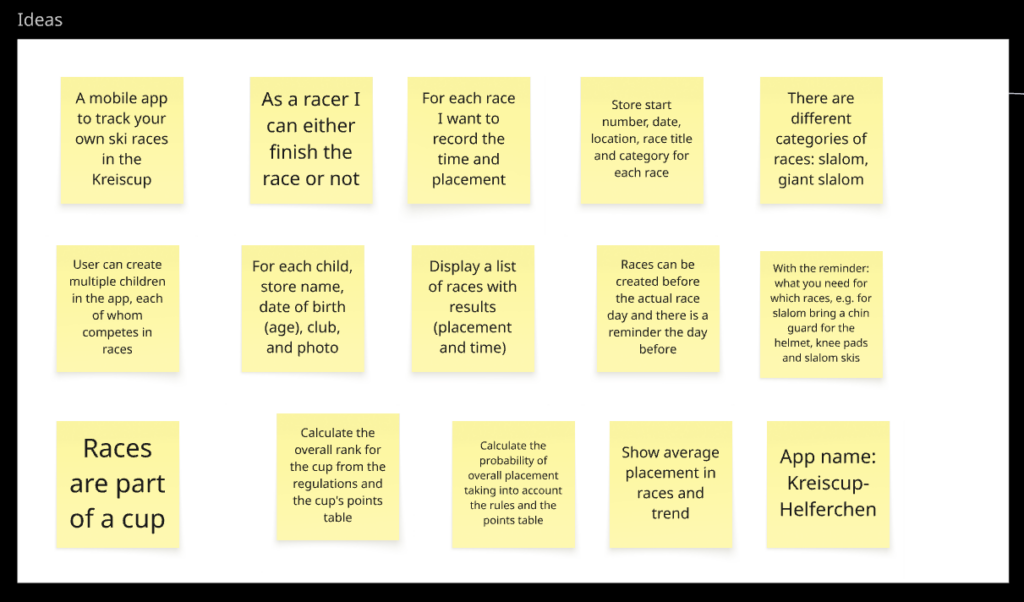
So I thought, let’s get started. But I didn’t have any ideas. That’s why I asked my son, and he came up with the idea for an app to track his ski races, monitor his performance, and predict his overall ranking in the ski cup. We launched Miro, created a new board, and recorded his ideas as sticky notes (here translated into English, of course with Miro AI):
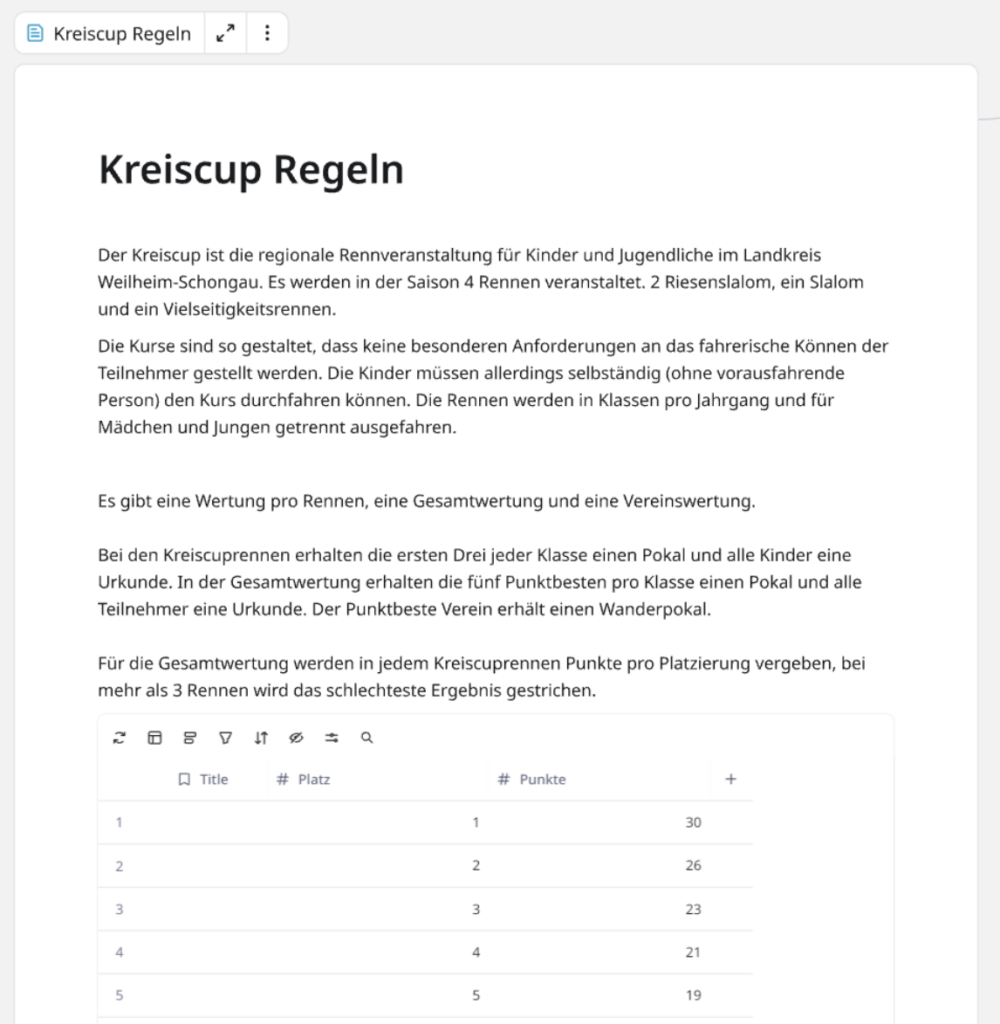
We quickly realized that the app also needed to know the rules of the ski cup in order to estimate the probable overall ranking. So we copied the rules and the scoring table from the club website and pasted them as a document and an embedded table onto the Miro board:
Can Lovable create the right app from a few sticky notes and some text? I was skeptical and wanted to back it up a little more. So I created an AI Flow in Miro to generate a user requirements specification from the existing material:
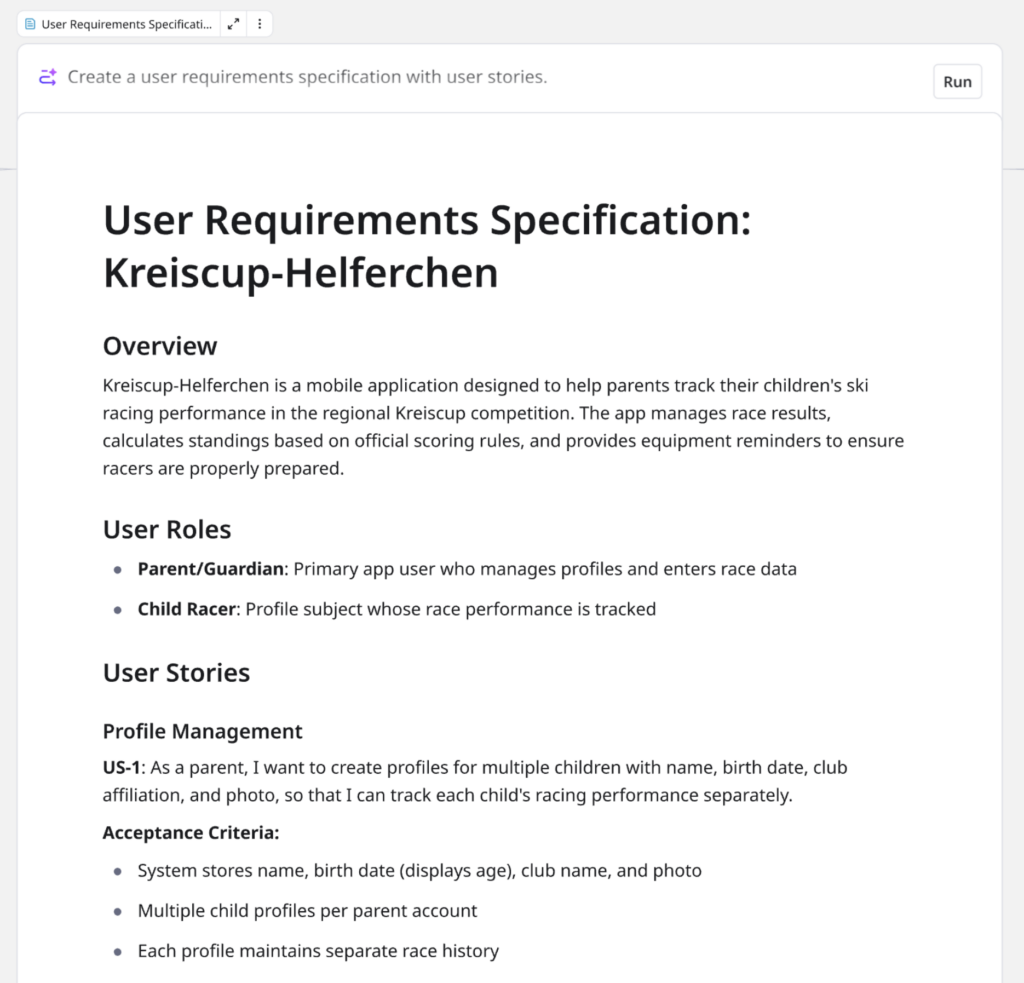
Wow! A simple prompt, “Create a user requirements specification with user stories,” and Miro AI creates complex user stories from simple bullet points. But does Miro also understand the user flow?
A second prompt, “Create a user flow diagram showing how the user interacts with the app,” and Miro AI creates a flowchart:
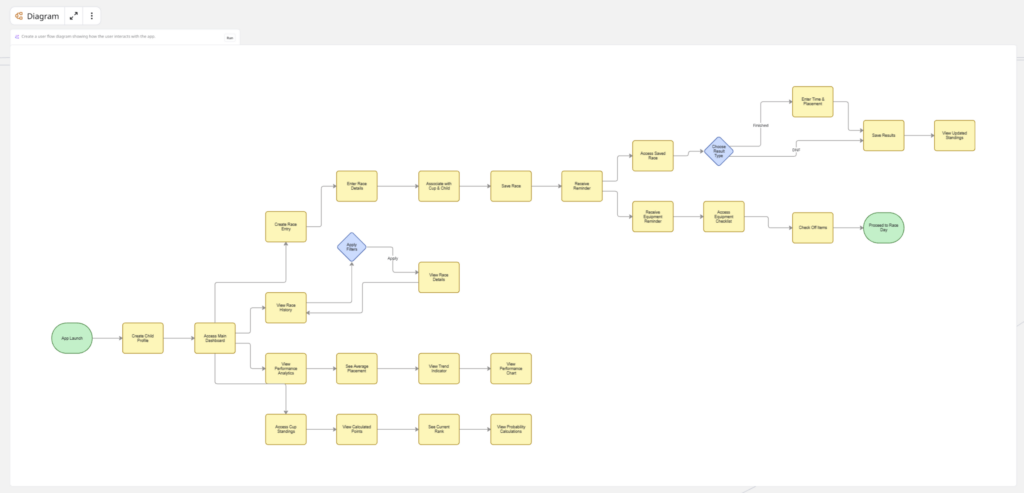
A quick review on my part: it is acceptable. Even if I had the option to manually adjust the diagram or expand the sticky notes and update the entire AI Flow at the touch of a button, my client (aka child) is impatient and wants to see results.
Above all, he wants to know what the app will look like. I ask him, “What should it look like?” We write down his answers on sticky notes and combine them with the user requirements specifications to create another AI Flow that generates a preview image for us:
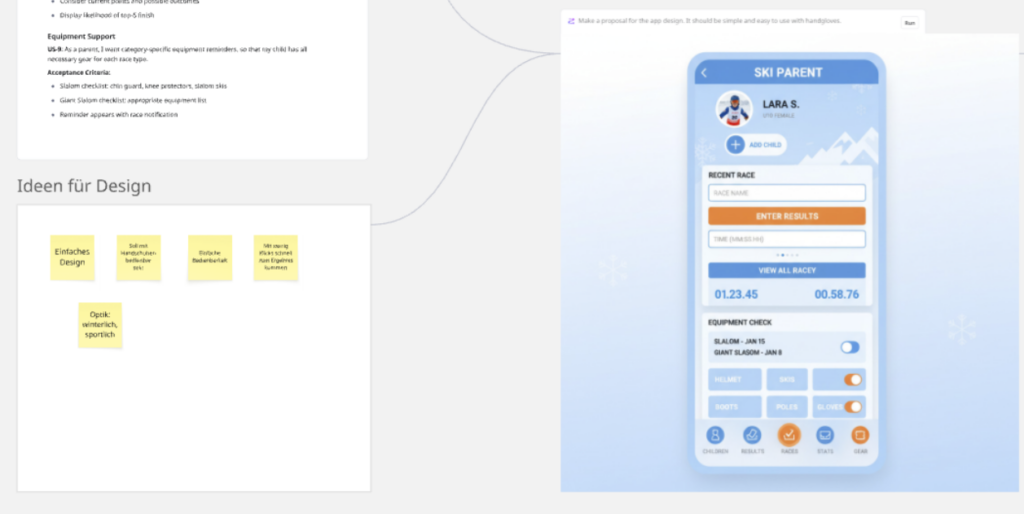
After two or three minor iterations, we’re ready: we want something clickable. But I know that creating an app in Lovable takes time—and credits. Until we’re sure that the app does what we want it to do, we use Miro’s prototyping feature. A final AI Flow and a simple prompt generates a click dummy from the user requirements, the user flow, and the design preview:
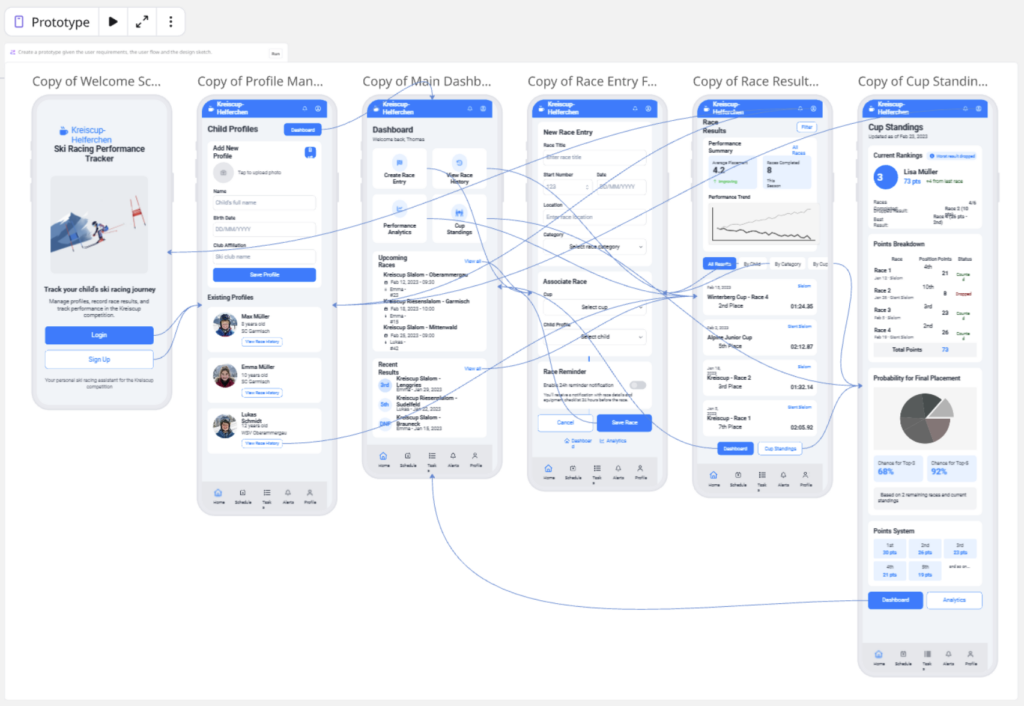
My son and I aren’t entirely satisfied. But we’re impatient. So instead of continuing to tinker with the inputs and prompts in Miro, we switch to Lovable.
How to Code with Lovable
There, we first need to establish a connection to Miro—via Model Context Protocol (MCP). This takes just a few clicks, and then all we need is a prompt with a reference to the Miro board:

Before Lovable gets started, there are some questions about what content Lovable is allowed to read on the Miro board:

Then Lovable gets busy, and we can watch him “think”:

After a few minutes, Lovable returns with an initial preview. However, the first version is just another, slightly improved click dummy. It lacks persistence, i.e., the ability to save user data in the app:
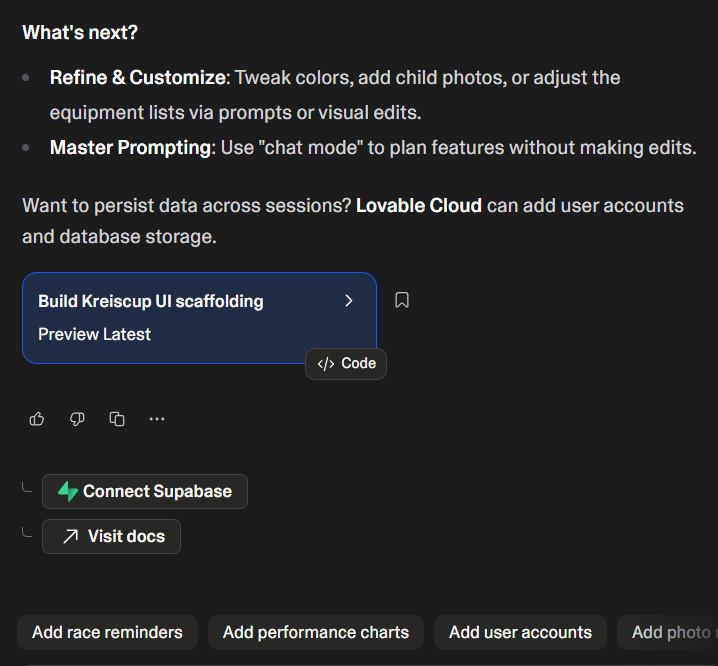
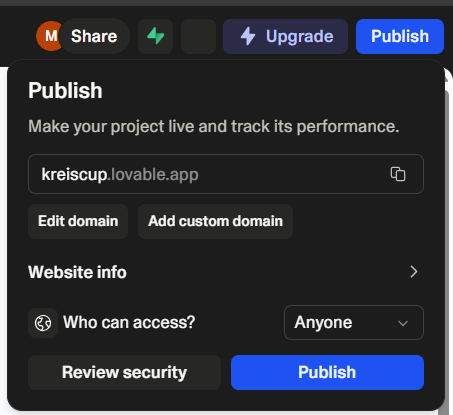
But we can do that with just a few clicks: set up a free account with Supabase and link it to Lovable. Then it does the rest, and finally we’re ready to publish the app:
What Lovable Created
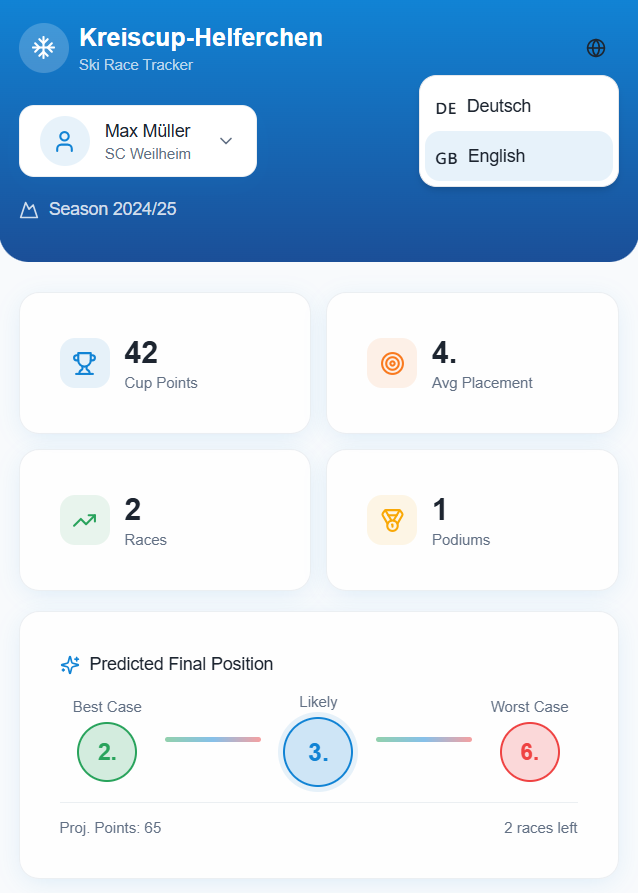
Unbelievable, seconds later the app is available on my son’s smartphone at https://kreiscup.lovable.app/:

A quick test shows that Lovable has implemented essential functions correctly, such as calculating the total score based on the scoring table. Races can also be entered—but not edited. Entries such as 0:67 are possible. Although multiple children can be created, there is only one user. Registration and login are missing—but we hadn’t specified that either.
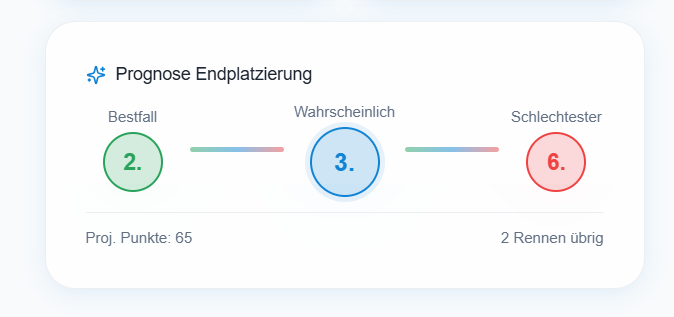
Elsewhere, Lovable thinks ahead and adds features on its own initiative: in addition to the average ranking, it also counts races with a podium finish. However, there is no visualization of performance trends or prediction of the overall ranking. But this can be quickly done with a simple prompt and the app has a new feature:
In general, Lovable does not adhere particularly closely to the Miro prototype: Lovable probably uses the user stories and the design example and overlooks the rest. Another significant difference: Miro created the prototype with an English-language UI; Lovable created a German-language UI.
A multilingual UI with a language switch can also be prompted quickly:
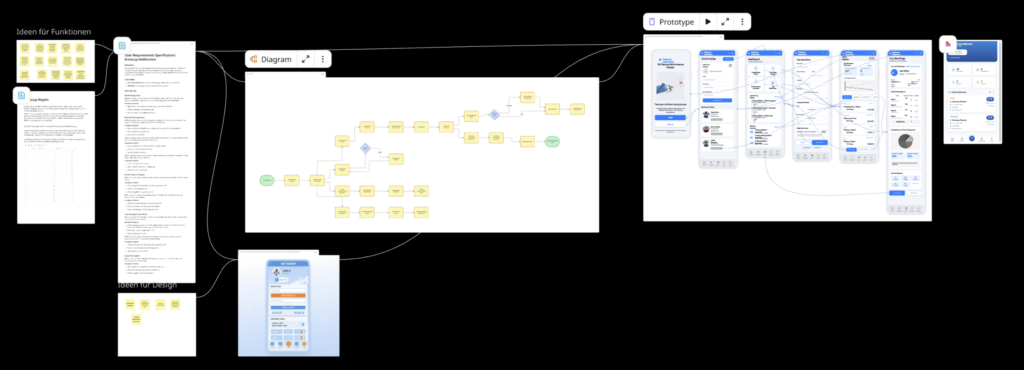
By the way: the Lovable app can also be integrated into the Miro Board as a web embed. You can view the complete AI Flow on the Miro Board and feel free to comment if you have any questions or feedback.
What I Have Learned
Considering the short time frame (around 1 hour), I am impressed with the result. The path from Miro sticky notes to a Lovable demo app is quick and easy. But speed comes at a price: in the end, the result is not exactly what we had in mind. However, this is mainly due to the fact that the specifications were poor.
Here are my 7 lessons learned for Generative Rapid Prototyping with Miro+Lovable:
- Iterate: go through the workflow from start to finish once and then make adjustments.
- Step by step: don’t go directly from sticky notes to prototypes, but introduce intermediate steps so that the interim results can be checked and humans are in the loop (HITL) at all times.
- Repeatable: Don’t use ad hoc prompts with Miro AI Sidekicks, but work with AI Flows instead. This will make your AI workflow reproducible and configurable.
- Parallelize: What we didn’t do in this mini-project, but would recommend: instead of one, generate several prototypes with different designs and functionalities using slightly different prompts and then test them with real users. Thanks to Miro AI Flows, multi-parallel prototyping is economically feasible.
- Design first: Only switch from Miro to Lovable once the design is finalized. Vibe coding in Lovable is time-consuming and consumes credits, which cost money.
- Experiment second: Don’t expect Lovable to produce ready-made apps. Vibe coding is a prototyping technique and not a substitute for software engineering.
- Prompt/context engineering is requirements engineering: The biggest challenge and the biggest success factor is to specify the requirements precisely, i.e., to make all the implicit ideas of the stakeholders explicit.
For me, the experiment showed one thing: AI tools such as Miro AI and Lovable enabled Generative Ultra Rapid Prototyping (GURP). Product development used to take six months. Thanks to AI, it can now be done in six weeks, and tomorrow, with tools such as Miro and Lovable, it will be possible in six days.
What’s Next
Let’s see if I can find the time during the holidays to continue working on the Ski Race app with my son—the days are filled with ski training and the first ski races. So keep your fingers crossed for him!
One thing is certain: I will be adding Lovable as another valuable tool to my toolbox for Data & AI Business Design, and I will definitely be reporting on it further.
If you want to stay up to date, join our Data & AI Business Design Community (free but not for nothing!) and/or subscribe to our Luma calendar—we’ll definitely be hosting a Miro Meetup onsite or Lunch & Learn online on this topic next year.
If you want to learn more about Miro AI Flows and see a more sophisticated example, check out our AI-powered personal AI advisor AI4ME: it will create a personalized AI strategy for you!
Last but not least: as of today, it’s official! Together with the HWZ (Zurich University of Applied Sciences for Business Administration), we will be offering a two-day training course on AI prototyping with Miro+Lovable next year (initially only in German):
Seminar KI für Startup HWZ
KI ist der Innovationsbeschleuniger: In zwei Tagen entwickeln Sie mit KI ein Startup- oder Produktkonzept – von der ersten Idee bis zur Implementierung der App. Zum Einsatz kommen das visuelle Kollaborationswerkzeug Miro, Miro AI sowie das Vibe-Coding-Tool Lovable. Mit AI Flows werden Use Cases und User Stories identifiziert, User Flows und User Interfaces entwickelt sowie Pitches und Prototypen generiert.
The number of participants is limited. So sign up quickly!


Responses